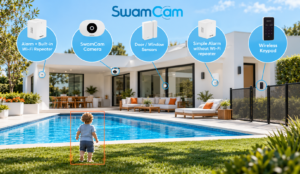
Pool safety cameras can provide an additional warning when someone approaches the water, but their effectiveness depends on detection accuracy, coverage and reliable alerts. SwamCam is designed to detect human movement near a pool and notify homeowners of potential access. This SwamCam review examines its features, detection performance, installation, camera coverage, subscription costs and limitations to help you decide whether it suits your pool.
Our evaluation draws on SwamCam’s product documentation, accessory listings and TechHive’s hands-on review, updated in June 2025 and corrected in August 2025. We haven’t independently tested the device and distinguish manufacturer claims from third-party findings throughout.
SwamCam is a pool-focused camera and alarm combination. It isn’t a general security camera. It watches a selected area around the pool and sounds a siren when it detects human movement while armed. It doesn’t detect water entry, swimming distress, or drowning. Although designed to recognize human movement rather than pets, it can still produce false alerts from nonhuman activity.
| Item | What the Sources Say |
| Product Type | Camera with siren, plus indoor alarm and accessories |
| Detection | Human movement in a selected area (manufacturer claim) |
| Camera | 1080p, 160° fisheye lens, LED night vision, two-way audio |
| Weather Rating | Camera IP65 per TechHive |
| Power | Wired; 20 ft cord included, 50 ft cord sold separately |
| Connectivity | Wi-Fi for the camera and app; Zigbee for accessories |
| Recording | No automatic motion recording; manual recording requires a subscription |
| Subscription | Optional, $3.99/month or $39.99/year |
| Key Limits | No pet or water detection, no automatic incident video, high price |
SwamCam sells it in bundles. Two are relevant here:
| System | Contents | Listed price |
| Single camera with Wi-Fi repeater | One camera, indoor alarm/repeater, keypad | $549.95 |
| Deluxe dual camera with Wi-Fi repeater | Two cameras, indoor alarm/repeater, keypad | $849.95 |
SwamCam also sells configurations without built-in Wi-Fi repeaters for properties with adequate existing Wi-Fi coverage. The prices above apply specifically to the repeater-equipped bundles.
SwamCam is a camera aimed at a pool, paired with sirens and a phone app. You mount the oblong camera on a wall, fence, or similar surface and point it at the pool. When the system is armed and the camera sees human movement in the monitored area, it sounds an alarm and sends a phone notification.
SwamCam states that its system is certified to ASTM F2208, a residential pool-alarm standard covering different detection methods, including perimeter alarms. However, pool alarms use different detection methods. SwamCam detects human movement near the pool rather than water entry or swimming distress.
This certification doesn’t make SwamCam a substitute for a required pool fence or guarantee compliance with every local building code. Always verify the requirements in your jurisdiction.
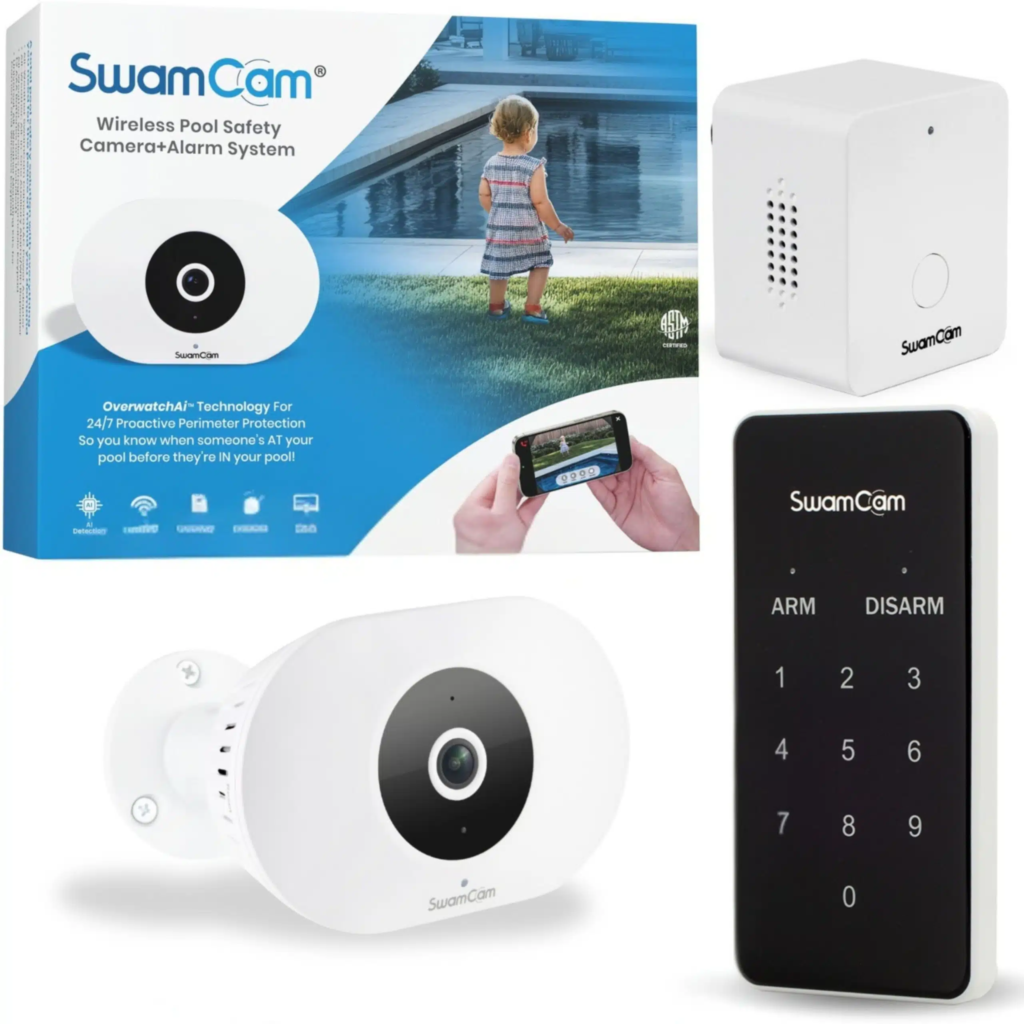
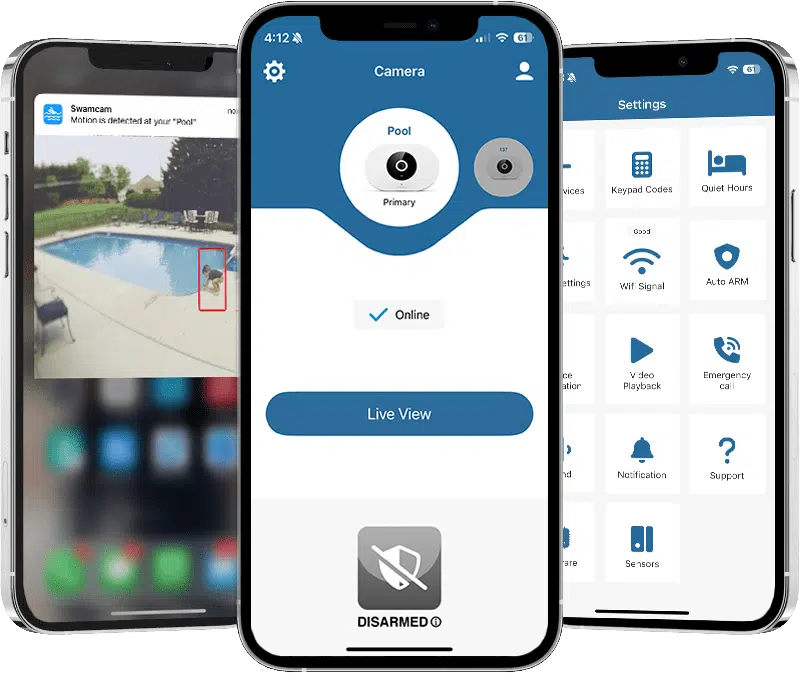
SwamCam can be armed through its app, keypad, or scheduling settings. Once armed, the camera monitors the configured detection area for human movement. When movement is detected, the camera and indoor alarm sound, and the app sends a push notification. Users can then open the live video feed to check the pool area.
According to TechHive’s 2025 review, the indoor alarm sounds for five minutes before resetting. Users can silence it through the app, a compatible smartwatch, or the alarm’s mute button. The reviewer reported immediate audible alerts during testing, although this was not a measured response time.
One important limitation concerns live viewing. SwamCam’s official troubleshooting guidance states that motion alerts do not trigger while video is being streamed. The system therefore should not be treated as providing uninterrupted automatic detection during live viewing.
SwamCam only provides warnings; someone must hear the alarm and respond.
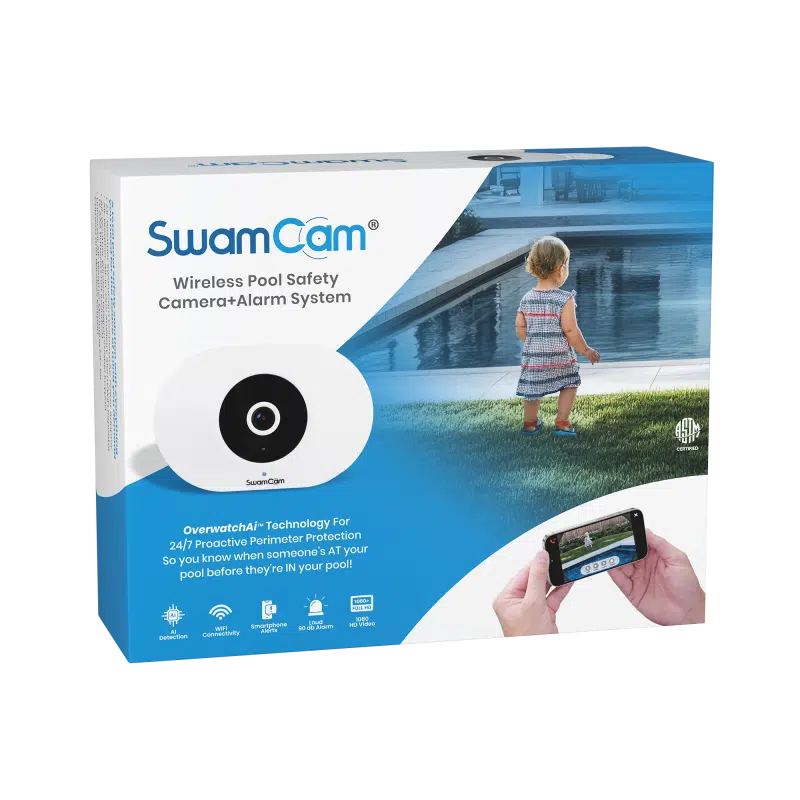
SwamCam detects human movement within a monitored area, alerting you when someone approaches the pool. This camera-based approach is among the options discussed in our comparison of the best cameras for pool safety. However, it cannot confirm water entry or recognize a swimmer in difficulty.
In TechHive’s testing, SwamCam performed similarly to a Vivint security camera, with no meaningful difference in alert rates or false positives. Occasional alerts from a moving pool robot showed that nonhuman movement can trigger the system. SwamCam doesn’t publish false-alert or missed-detection rates.
Custom detection zones require a paid subscription. Without one, the system uses its standard detection area. SwamCam supports shared access, allowing additional household members to receive alerts. However, independently measured notification delays remain unavailable.
Phone alerts can be missed due to muted notifications, restrictive settings or a dead battery. The local siren provides an additional warning that does not depend on someone checking their phone.
Camera placement directly affects detection. Irregular pool shapes, including kidney-shaped and L-shaped pools, can create blind spots. Landscaping, umbrellas, furniture, and sun glare may further obstruct the view.
SwamCam requires nearby power. It includes a 20-foot cord, while a 50-foot option costs extra. Limited outlet access may restrict mounting locations.
Position the camera to cover likely approach paths, including gates, decks, and patios. SwamCam recommends mounting it 4-6 feet above the walking surface with a level horizon. Its stated detection range is approximately 35 feet under optimal conditions. Custom detection zones require a Premium subscription, but proper placement remains essential regardless of the plan.
The Deluxe bundle adds a second angle. It is most likely to help with irregular layouts, large pools, or a view blocked by a building or planting. It doesn’t guarantee full coverage. A poorly mounted second camera will leave the same blind spots as a poorly mounted single camera.
After installation, walk each approach path in daylight and again at night, with the system armed, and note where the alert fails to trigger. Do this from every gate and door that leads to the pool. These are practical checks, not a formal safety validation.
The camera uses standard LED night vision. SwamCam doesn’t publish a night-vision range in the materials we reviewed, and TechHive didn’t give one. Don’t assume night detection matches daytime performance. Test it. Look at footage from the farthest part of the monitored area and judge whether you can tell what is happening there.
SwamCam’s camera supports 2.4 GHz and 5 GHz Wi-Fi, but its optional repeater requires 2.4 GHz. Routers combining both bands may need additional configuration during setup.
Accessories use Zigbee, with a claimed line-of-sight range of up to 100 feet. However, TechHive reported connection problems at approximately 40 feet through walls, with reliable operation only at much shorter distances. Actual range depends on obstructions.
SwamCam claims its local sirens continue working during Wi-Fi outages if power remains available, although phone notifications require internet access. A power outage disables the mains-powered system without external backup. Because SwamCam also describes cloud-based AI detection, buyers should confirm how motion alerts behave during internet and Wi-Fi failures.
SwamCam does not automatically record video when motion is detected. Its core alarm features and live viewing are available without a paid subscription, but saving footage through the app requires Premium.
The Premium subscription costs $3.99/month or $39.99/year and includes:
SwamCam’s current manual confirms that manually recorded videos are stored on the user’s phone. TechHive’s 2025 review described 30-day cloud storage and recording-length limits, but those details are not confirmed in the current manual.
The main limitation remains the lack of automatic motion-triggered recording. An incident will not be saved automatically, making a conventional motion-recording security camera more suitable for households that want an incident archive.
TechHive also reported playback problems during its testing. SwamCam subsequently said it had addressed the issue, although we have not independently verified the fix.
SwamCam’s app provides live viewing and arming controls, with additional settings for detection, scheduling, and emergency contacts. TechHive criticized its organization, but SwamCam says it has since updated the interface. We haven’t tested the current version.
The app also offers quiet hours, which suppress alarms and notifications even when the system is armed. This setting requires care to avoid disabling warnings when the pool is accessible.
No integrations with Alexa, Google Home, or HomeKit were documented in the sources reviewed, although TechHive reported smartwatch support.
A pool camera may capture children, guests, and sometimes neighbors or shared yards. TechHive doesn’t discuss privacy zones, two-factor authentication, encryption, or data retention beyond the 30-day clip storage. We found no documentation on those points. The camera also includes two-way audio.
Before buying, check the privacy policy, ask whether account security options exist, and aim the camera so it doesn’t capture neighboring property. If you manage a shared or rental property, consider notifying residents.
SwamCam’s main strengths are its loud local alarms, dedicated human-movement detection, and subscription-free core safety features. The manufacturer also claims ASTM F2208 certification, while TechHive reported responsive alerts during its hands-on testing.
Its limitations include false alerts, no automatic video recording, mains-power dependence, and coverage restrictions. Live streaming also interrupts automatic motion alerts according to SwamCam’s troubleshooting guidance. With a single-camera system listed at $549.95 with a Wi-Fi repeater, buyers should weigh these limitations against the advantages of a dedicated pool alarm.
| Option | Role | Considerations |
| SwamCam | Early warning when someone approaches the pool; local sirens | No water-entry detection; no auto-recording; $549.95 listed |
| General Outdoor Security Camera | Records events and sends alerts | Typically records on motion, but isn’t an ASTM-certified pool alarm; detection tuned to general use |
| Gate or Door Alarm | Alerts when an access point opens | Covers specific entry points, not the open pool area |
| Water-Entry Pool Alarm | Detects disturbance in the water | Different function; we didn’t review specific products |
Each option serves a different purpose. SwamCam detects movement near the pool, gate and door alarms monitor access points, and water-entry alarms respond to disturbances in the water. Unlike a physical barrier, none prevents access to the pool. This is why pool fences and alarms serve different safety functions. Homeowners exploring additional detection options can also compare the best pool alarms based on their pool layout and safety needs.
SwamCam is best suited to households that want a dedicated audible warning when someone approaches the pool. It makes the most sense where camera coverage is practical, mains power and adequate Wi-Fi are available, and household members will regularly arm and test the system. The alarm should complement pool safety tips such as active supervision and controlled access.
It is less suitable for buyers who need automatic incident recording, pet alerts, battery-backed operation, or detection of swimming distress. Homeowners with complex pool layouts should verify coverage before purchasing, while those primarily interested in recorded footage may find a conventional outdoor security camera more appropriate.
Include these product-specific checks in a broader pool safety checklist to review the other safeguards around your pool.
SwamCam recommends checking power, connectivity, and arming functions weekly, with a full system test at least monthly. After installation, test motion alerts during the day and at night, with live view closed. Also check alarm audibility, phone notifications, and local alarm operation during a simulated Wi-Fi outage, following the manufacturer’s guidance.
This SwamCam review highlights the system’s main strengths: loud local sirens, subscription-free core functions and claimed ASTM F2208 certification. However, its detection limitations, wired power requirements, lack of automatic recording and high price deserve equal consideration, especially given the limited independent evidence of detection accuracy.
SwamCam should serve as an additional safety layer, not a replacement for active adult supervision, secure pool barriers or local safety requirements. Before purchasing, assess your pool layout against the camera’s coverage, confirm current pricing and subscription terms, and compare alternative alarm systems to find the best fit for your needs.
Disclosure: Pool Guard USA has no commercial relationship with SwamCam. We have not independently tested this device.

Find your local dealer by entering your zip code above.
Please fill out the form below with your information. Your local dealer will be notified about your inquiry.